
Guard management software
The signal fails.
The record does not.
Operations. Connected.
Torvia runs your day: who is on shift, which rounds were walked, what happened and when. The field app keeps working in car parks, basements and cold stores, then syncs the moment coverage returns.
No card during the trial · iOS and Android
- 02:03 Reception BT-COLD-CP1
- 02:09 Freezer bay A BT-COLD-CP2
- 02:14 Loading dock BT-COLD-CP3no signal · synced 06:31
- 02:19 Plant room BT-COLD-CP4
- 02:26 East gate BT-COLD-CP5
5 of 5 checkpoints · 1 recorded offline · times are scan times, not upload times
What it runs
Everything a guarding contract is judged on
Live tracking
Every guard on duty, on one map, against the sites they were rostered to. Clock-in is checked against the site's geofence, so "on shift" means they were actually there.
Read more →02Patrols
A route is an ordered list of checkpoints with a coded tag at each one. The guard scans as they go; you get the round with times against it, which is the thing a client actually asks for.
Read more →03Incidents
Category, severity, what happened, and photographs, taken on the phone at the scene. Not remembered at the end of a twelve-hour shift and typed into a spreadsheet the next morning.
Read more →04Scheduling
Shifts against sites, open shifts guards can pick up, and swap requests that leave a record. Breaks and overtime accumulate as the shift runs rather than being reconstructed at month end.
Read more →05Reporting
Reports generate on a schedule and arrive by email. Clients get a portal scoped to the sites they pay for — which answers most of what they would otherwise phone you about.
Read more →06Offline
Guarding happens in car parks, basements, cold stores and half-built sites. Torvia's field app is built to be used there, not to apologise for it.
Read more →Why it matters
Most guarding software assumes a signal
Which is fine in an office and useless on a site. A loading bay, a stairwell, a plant room and a half-built floor all defeat a phone, and those are exactly the places a guard is paid to walk through.
When a round goes unrecorded because the app could not reach a server, the client does not hear "bad coverage". They hear that nobody checked. Torvia writes to the device first and treats sending as a separate problem, so the round is proven whether or not the network cooperated.
How the sync queue worksThe dashboard
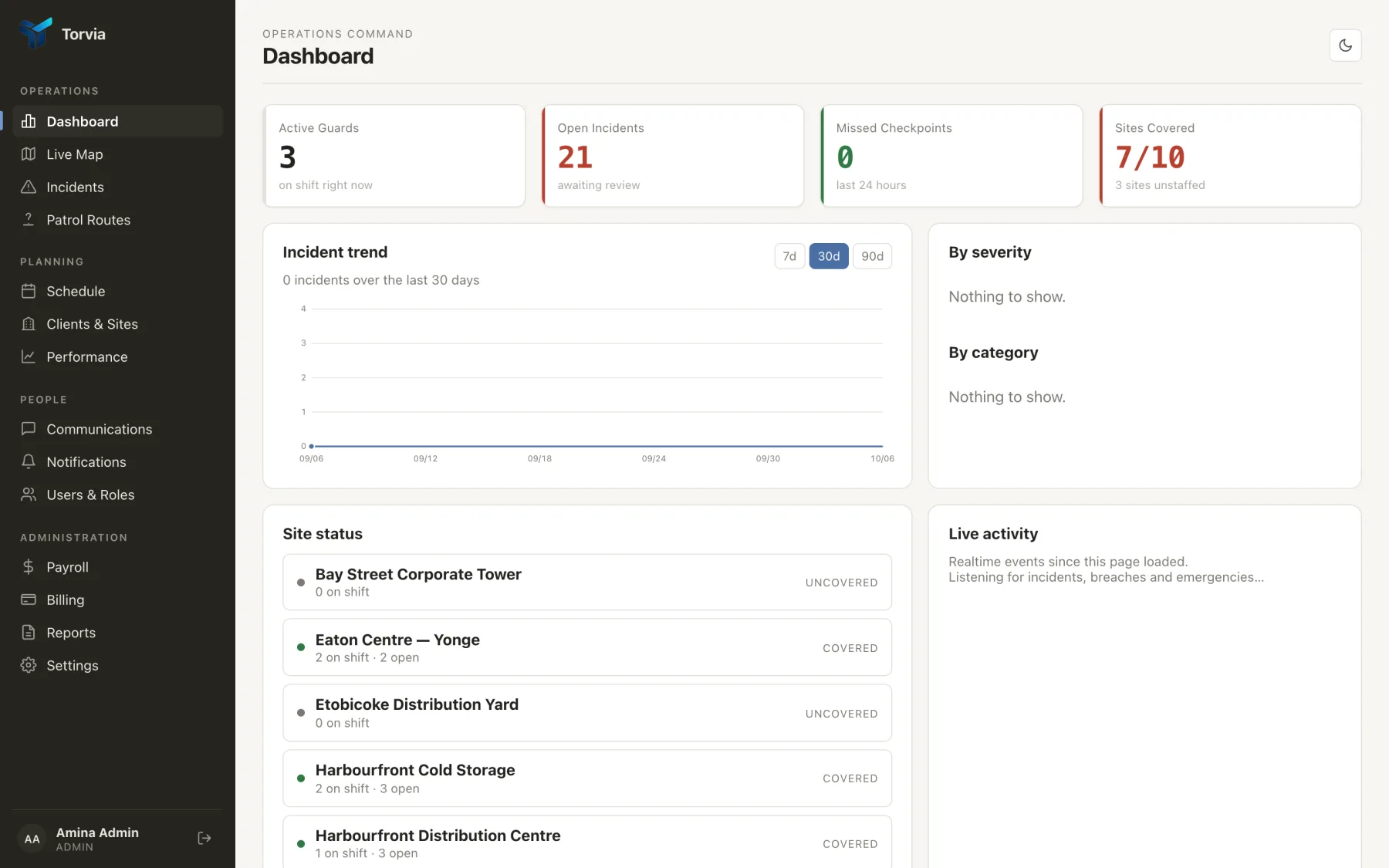
One screen that answers "is every site covered?"
Before you ask
The questions owners actually open with
What happens when a guard has no signal?
They keep working. Clock-ins, checkpoint scans and incident reports are written to the phone the moment they happen and queue there; the app shows what is still pending. When coverage returns everything uploads, recorded at the time it actually occurred rather than the time it was sent.
Can my clients see their own sites?
Yes, through a portal scoped to the sites they pay for. A client login reaches its own data and nothing else, and the restriction is applied in the data layer rather than by hiding a menu item.
Do guards need to be technical?
The field app does four things: clock in, walk a round scanning tags, write an incident, raise an emergency. There is no public sign-up — you issue accounts, so a guard's first use is signing in with details you gave them.
What if a checkpoint tag goes missing?
The dashboard flags any checkpoint that has no code against it, so you find out before a guard does. Each code is just a short reference you assign, so replacing a tag is a sheet of paper rather than a call-out.
How is location handled?
Position is checked against the site's geofence at clock-in and recorded while the shift runs. It stops when the guard clocks out and is never collected off-shift — which is both correct and the first thing your guards will ask.
How much is it?
Per guard, per month, with every feature in every plan and client logins not counted as seats. Packages are set per account, so tell us your guard and site numbers and we will send a figure the same day. The trial needs no card.
Put it on one site this week
Add a site, a route and a guard, and walk a round tonight. The trial needs no card, and the guard app is on the App Store and Google Play.
Start free trialOperations. Connected.